Creating eye-catching thumbnails is one of the most important skills for YouTube growth, and this figma youtube thumbnail tutorial will show you how to design professional thumbnails step by step. Figma has become a popular tool among creators because it combines powerful design features with a simple interface, making it ideal for beginners and professionals alike.
In this detailed figma youtube thumbnail tutorial, you will learn how to build high-converting thumbnails, choose the perfect youtube thumbnail background, organize layouts, add bold text, and improve overall youtube thumbnail design. Whether you are creating gaming videos, tutorials, vlogs, or educational content, Figma can work as a complete youtube thumbnail creator for your channel.
Why Use Figma as a YouTube Thumbnail Maker
Many creators prefer Figma because it is fast, flexible, and cloud-based. A complete figma youtube thumbnail tutorial helps creators understand how to use modern design tools without needing expensive or complicated software.
Figma offers several advantages:
- Easy drag-and-drop editing
- Cloud-based collaboration
- Professional typography controls
- Fast layer organization
- Reusable design templates
- Simple export options
Unlike some basic online tools, Figma provides advanced customization while remaining beginner-friendly.
Getting Started With Figma YouTube Thumbnail Tutorial
Create the Correct Thumbnail Size
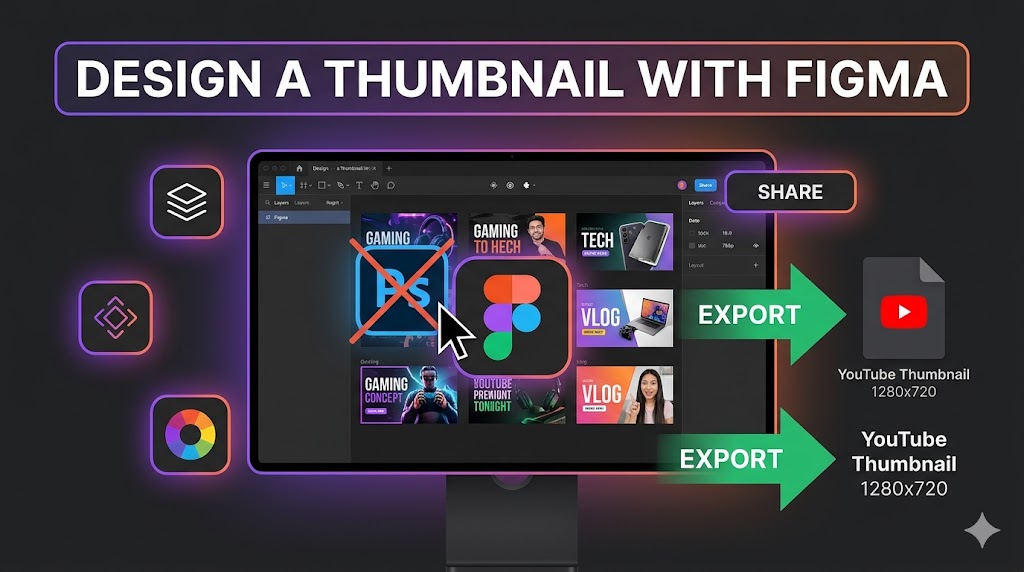
The first step in any figma youtube thumbnail tutorial is setting up the proper frame dimensions. YouTube recommends thumbnails with a 1280 × 720 pixel resolution and a 16:9 aspect ratio.
To create your thumbnail frame:
- Open Figma
- Create a new design file
- Select the Frame Tool
- Set width to 1280 pixels
- Set height to 720 pixels
This ensures your thumbnail displays correctly across YouTube devices and screen sizes.
Organize Your Workspace
An organized layout improves workflow efficiency. Successful creators using this figma youtube thumbnail tutorial often group layers into:
- Backgrounds
- Text layers
- Character cutouts
- Effects and overlays
- Icons and arrows
Tip: Naming layers clearly makes future thumbnail edits much faster, especially when creating multiple videos weekly.
YouTube Thumbnail Design Basics in Figma
Choose an Effective YouTube Thumbnail Background
The youtube thumbnail background plays a major role in grabbing attention. A strong background supports the main subject while helping text remain readable.
In every successful figma youtube thumbnail tutorial, backgrounds are designed to improve visual focus rather than create distractions.
Popular background options include:
- Blurred gameplay screenshots
- Gradient color overlays
- Cinematic photography
- Studio lighting effects
- Simple darkened textures
Add Bold and Readable Text
Text is one of the most important elements in effective youtube thumbnail design. Strong typography improves readability and increases click-through rates.
Popular fonts include:
- Anton
- Montserrat Extra Bold
- Bebas Neue
- League Spartan
- Impact
Use short phrases such as:
- “BIG UPDATE”
- “DON’T BUY THIS”
- “BEST SETTINGS”
- “I WAS WRONG”
Special Attention: Keep text short and large enough to remain readable on mobile devices.
Use High Contrast Colors
Color contrast is essential in every figma youtube thumbnail tutorial. Bright text against darker backgrounds often performs best because it increases visibility.
Effective combinations include:
- White text on black backgrounds
- Yellow text with black outlines
- Red and white contrast
- Blue and orange combinations
Advanced Figma YouTube Thumbnail Tutorial Techniques
Use Shadows and Glow Effects
Professional thumbnails often use effects to create depth and separation. In this figma youtube thumbnail tutorial, shadows and glows help important elements stand out.
Useful effects include:
- Drop shadows behind text
- Outer glows around subjects
- Blurred background overlays
- Soft lighting effects
These techniques improve overall thumbnail clarity and professionalism.
Create Depth With Layering
Layering foreground and background elements creates visual depth. Successful youtube thumbnail design often places the subject slightly overlapping the text or background.
This makes thumbnails feel more dynamic and engaging.
Add Directional Elements
Arrows, circles, and highlights guide viewer attention toward important parts of the thumbnail.
Many creators using this figma youtube thumbnail tutorial technique improve CTR by emphasizing important objects or reactions visually.
Using Figma as a YouTube Thumbnail Creator
Create Reusable Templates
Figma works extremely well as a youtube thumbnail creator because you can save reusable templates for different video categories.
Templates may include:
- Preset text styles
- Brand color palettes
- Background overlays
- Logo placement
- Thumbnail frames
Reusable templates speed up production and maintain channel consistency.
Build Consistent Branding
Consistent branding helps viewers recognize your videos instantly. Strong branding is an important lesson in every figma youtube thumbnail tutorial.
Consistency may include:
- Repeated font styles
- Similar color themes
- Consistent layout structures
- Recognizable visual elements
Tip: Maintaining a recognizable thumbnail style can improve audience loyalty and channel identity over time.
How ThumbnailGet.com Helps Improve Thumbnail Design
Study Successful Thumbnail Trends
One of the best ways to improve your thumbnails is by analyzing successful creators in your niche. Many designers use
:contentReference[oaicite:0]{index=0}
to download and study popular YouTube thumbnails.
Using
:contentReference[oaicite:1]{index=1},
you can:
- Analyze layout structures
- Study text positioning
- Observe trending color styles
- Research successful niches
- Improve your design inspiration
Warning: Use downloaded thumbnails for inspiration and competitive research only. Always create original designs for your own content.
Common Mistakes in Figma YouTube Thumbnail Tutorial Projects
Using Too Much Text
One common mistake in any figma youtube thumbnail tutorial project is overcrowding thumbnails with excessive text. Simple messaging usually performs better.
Ignoring Mobile Optimization
Most viewers use YouTube on mobile devices. Always zoom out and preview your thumbnail at smaller sizes before exporting.
Weak Visual Hierarchy
Viewers should immediately identify the most important element in your thumbnail. Strong hierarchy improves clarity and engagement.
Overusing Effects
Too many glows, shadows, and overlays can make thumbnails appear cluttered and unprofessional.
Exporting Your Thumbnail Correctly
The final step in every figma youtube thumbnail tutorial is exporting your design properly for YouTube upload.
Recommended export settings:
- Format: PNG or JPG
- Resolution: 1280 × 720 pixels
- Maximum file size: Under 2MB
- High image quality enabled
To export:
- Select the thumbnail frame
- Open Export settings
- Choose JPG or PNG
- Export the file
Proper export settings ensure your thumbnail remains sharp and visually appealing.
Final Thoughts on Figma YouTube Thumbnail Tutorial
Mastering a figma youtube thumbnail tutorial can significantly improve your video performance and channel branding. Figma provides powerful design features while remaining accessible for beginners and experienced creators alike.
By learning typography, color contrast, layering, and composition techniques, you can create professional youtube thumbnail design that increases clicks and audience engagement. Consistency, simplicity, and readability remain the keys to successful thumbnails.
To study trending thumbnail styles and improve your creative workflow, visit
:contentReference[oaicite:2]{index=2}
and explore successful YouTube thumbnails for inspiration and competitive research.