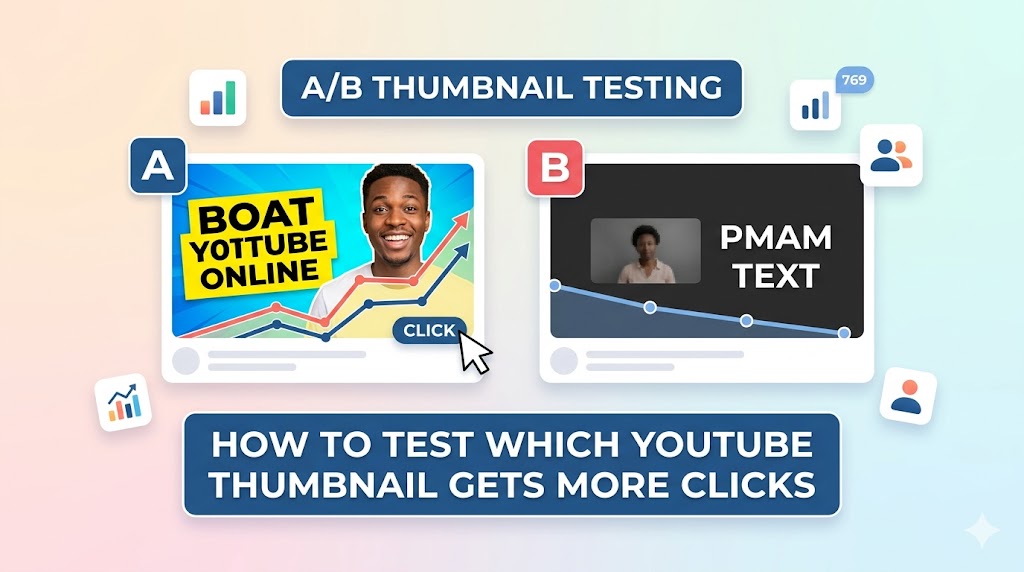
If your YouTube videos are getting impressions but not enough clicks, your thumbnail may be the problem. Learning how to a/b test YouTube thumbnails is one of the smartest ways to improve click-through rates, attract more viewers, and increase overall channel growth. Even small thumbnail changes can dramatically impact video performance.
A successful a/b test YouTube thumbnails strategy helps creators understand which colors, text styles, facial expressions, and layouts generate the highest engagement. Instead of guessing what works, you can use real audience data and youtube thumbnail analytics to make better design decisions.
In this guide, you will learn how to properly a/b test YouTube thumbnails, use thumbnail split-testing tools, understand CTR metrics, and apply proven optimization strategies used by successful creators.
Why You Should A/B Test YouTube Thumbnails
Your thumbnail directly affects whether viewers click your video or ignore it. When you a/b test YouTube thumbnails, you compare different thumbnail versions to discover which design performs best.
Testing thumbnails can help you:
- Increase click-through rates (CTR)
- Improve video discoverability
- Boost YouTube recommendations
- Understand audience preferences
- Optimize branding consistency
Many creators spend hours editing videos but overlook thumbnail optimization. However, thumbnails are often the biggest factor influencing viewer behavior.
Understanding YouTube Thumbnail Analytics
What Is Thumbnail CTR?
Before you a/b test YouTube thumbnails, it is important to understand click-through rate (CTR). CTR measures how often viewers click your video after seeing the thumbnail.
For example:
- 10,000 impressions
- 700 clicks
- CTR = 7%
Higher CTR usually indicates that your thumbnail and title combination is effective.
Where to Find YouTube Thumbnail Analytics
YouTube Studio provides detailed youtube thumbnail analytics that help creators evaluate performance.
To check analytics:
- Open YouTube Studio
- Select “Content”
- Choose a video
- Click “Analytics”
- View “Reach” metrics
Key metrics include:
- Impressions
- CTR percentage
- Traffic sources
- Audience retention
- Watch time
Tip: Analyze both CTR and audience retention together. A high CTR with low watch time may indicate misleading thumbnails.
Best Tools to A/B Test YouTube Thumbnails
TubeBuddy YouTube Thumbnail Split Test
One of the most popular tools to a/b test YouTube thumbnails is the TubeBuddy YouTube thumbnail split test feature. TubeBuddy automatically rotates thumbnail variations and compares performance over time.
This tool helps creators:
- Compare thumbnail versions fairly
- Track CTR improvements
- Measure audience behavior
- Optimize older videos
Instead of manually replacing thumbnails, TubeBuddy automates the testing process and provides statistical insights.
AI YouTube Thumbnail CTR Test Tools
Modern AI tools can predict thumbnail performance before publishing. An AI YouTube thumbnail CTR test analyzes colors, contrast, facial expressions, and text placement to estimate click potential.
These tools use machine learning to identify patterns commonly found in high-performing thumbnails.
AI thumbnail testing platforms may evaluate:
- Visual contrast
- Text readability
- Emotional triggers
- Subject placement
- Color intensity
YouTube Thumbnail Checker Tool
A YouTube thumbnail checker tool helps creators preview thumbnails on different screen sizes before uploading. This is useful because thumbnails often appear differently on mobile devices compared to desktop screens.
Special Attention: Always preview thumbnails at smaller sizes to ensure text remains readable on mobile devices.
How to Properly A/B Test YouTube Thumbnails
Test One Element at a Time
The most effective way to a/b test YouTube thumbnails is by changing only one major element per test. This helps you identify exactly what improves performance.
Elements you can test include:
- Text style
- Font color
- Facial expression
- Background image
- Thumbnail composition
- Brightness and contrast
For example, test:
- Red text vs yellow text
- Smiling face vs surprised face
- Minimal design vs busy design
Run Tests Long Enough
When you a/b test YouTube thumbnails, avoid ending tests too early. Thumbnail performance can fluctuate depending on audience activity and traffic sources.
Most tests should run for:
- 7 to 14 days minimum
- Enough impressions for reliable data
- Stable traffic conditions
Focus on High-Impression Videos
Testing thumbnails works best on videos already receiving impressions. Videos with low traffic may not provide enough data for accurate analysis.
Thumbnail Design Factors That Affect CTR
Strong Emotional Expressions
Human emotions attract attention quickly. Many creators who successfully a/b test YouTube thumbnails discover that expressive faces improve CTR significantly.
Popular expressions include:
- Shock
- Excitement
- Fear
- Curiosity
- Surprise
Readable Text
Short, bold text improves readability and increases engagement. Most successful thumbnails use 2–5 words only.
Effective examples include:
- “BIG UPDATE”
- “DON’T BUY THIS”
- “I WAS WRONG”
- “BEST SETTINGS”
High Contrast Colors
Bright, contrasting colors help thumbnails stand out in YouTube feeds. Effective a/b test YouTube thumbnails experiments often reveal that contrast has a major impact on visibility.
How ThumbnailGet.com Helps With Thumbnail Research
One of the best ways to improve thumbnail performance is by studying successful creators. Many YouTubers use
:contentReference[oaicite:0]{index=0}
to download and analyze trending thumbnails for inspiration.
Using
:contentReference[oaicite:1]{index=1},
you can:
- Study popular thumbnail layouts
- Analyze text positioning
- Observe color combinations
- Compare niche-specific thumbnail styles
- Improve your own testing strategies
Tip: Save examples of high-performing thumbnails in your niche and analyze recurring design patterns before creating new tests.
Common Mistakes When You A/B Test YouTube Thumbnails
Testing Too Many Changes
Changing multiple elements simultaneously makes it difficult to determine what actually improved performance.
Ignoring Audience Retention
A thumbnail may generate clicks but disappoint viewers after they start watching. Successful a/b test YouTube thumbnails strategies focus on both CTR and retention.
Copying Competitors Exactly
Studying competitors is useful, but directly copying thumbnail designs can hurt branding and originality.
Warning: Use competitor thumbnails for inspiration only. Focus on creating a recognizable visual identity for your own channel.
Stopping Tests Too Early
Small data samples often produce misleading results. Allow enough impressions before deciding which thumbnail performs better.
Advanced AI YouTube Thumbnail CTR Test Strategies
Use Heatmap Analysis
Some advanced AI tools provide visual heatmaps showing where viewers focus their attention first. These insights help optimize text placement and subject positioning.
Analyze Thumbnail Trends by Niche
Gaming, finance, education, and vlog channels often use different thumbnail styles. Successful creators adapt their thumbnails based on audience expectations within each niche.
Combine AI Insights With Human Creativity
AI tools provide valuable recommendations, but human creativity remains essential for storytelling and emotional appeal.
Final Thoughts on How to A/B Test YouTube Thumbnails
Learning how to a/b test YouTube thumbnails is one of the most effective ways to improve video performance and channel growth. Thumbnail optimization helps creators increase CTR, attract more viewers, and make smarter design decisions based on real audience behavior.
Whether you use the TubeBuddy YouTube thumbnail split test, an AI YouTube thumbnail CTR test, or a YouTube thumbnail checker tool, consistent testing can reveal what your audience responds to best.
To study successful thumbnails and improve your own testing strategies, visit
:contentReference[oaicite:2]{index=2}
and analyze trending YouTube thumbnails for inspiration.