Creating thumbnails that attract clicks is one of the most important parts of growing a successful YouTube channel. The best canva youtube thumbnail tips help creators design eye-catching visuals that instantly grab attention and increase click-through rates. Even if your video content is excellent, poor thumbnails can prevent viewers from clicking on your videos.
This detailed guide shares proven canva youtube thumbnail tips for building professional thumbnails using Canva. You will learn how to improve overall youtube thumbnail design, choose strong layouts, use bold typography, and create thumbnails that stand out in crowded YouTube feeds. Whether you are a beginner or experienced creator, Canva can work as a complete youtube thumbnail creator for your channel.
Why Canva Is a Popular YouTube Thumbnail Creator
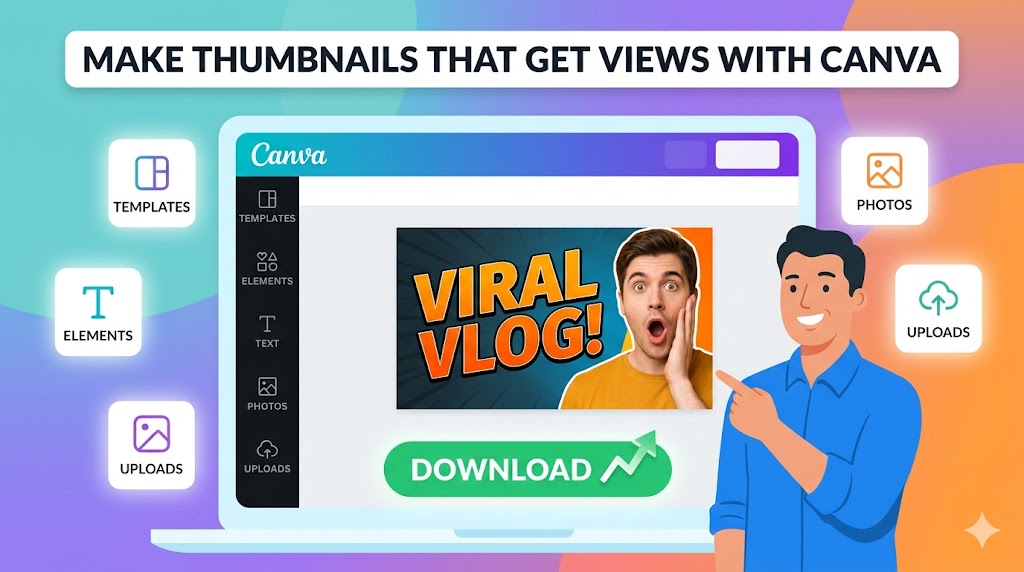
Canva has become one of the most widely used tools for thumbnail creation because it is beginner-friendly, fast, and highly customizable. Many successful creators rely on canva youtube thumbnail tips to improve thumbnail quality without needing advanced design software.
Canva provides:
- Easy drag-and-drop editing
- Professional thumbnail templates
- Built-in fonts and graphics
- Fast export options
- Simple background editing tools
- Cloud-based accessibility
These features make Canva ideal for creators who want professional results quickly.
Getting Started With Canva YouTube Thumbnail Tutorial Basics
Create the Correct Thumbnail Size
The first step in applying effective canva youtube thumbnail tips is creating the correct canvas dimensions. YouTube recommends thumbnails with a resolution of 1280 × 720 pixels and a 16:9 aspect ratio.
To create a custom thumbnail:
- Open Canva
- Select “Create a Design”
- Choose “YouTube Thumbnail”
- Use the default 1280 × 720 dimensions
This ensures your thumbnails display properly across devices and platforms.
Choose a Professional Layout
A strong layout is essential in every Canva YouTube thumbnail tutorial. The best thumbnails guide viewer attention naturally toward the most important elements.
A good layout typically includes:
- One clear focal point
- Large readable text
- Strong visual hierarchy
- Balanced spacing
- Minimal distractions
Tip: Avoid cluttered layouts because too many visual elements reduce readability and viewer focus.
YouTube Thumbnail Design Tips for Better CTR
Use Bold and Readable Text
One of the most effective canva youtube thumbnail tips is using large, bold text that viewers can read instantly. Most YouTube traffic comes from mobile devices, so readability is critical.
Popular thumbnail fonts include:
- Anton
- League Spartan
- Bebas Neue
- Montserrat Extra Bold
- Impact
Short phrases work best, such as:
- “BIG UPDATE”
- “DON’T BUY THIS”
- “BEST SETTINGS”
- “I WAS WRONG”
Use High-Contrast Colors
Strong color contrast is a major factor in successful youtube thumbnail design. Bright text against darker backgrounds often performs best because it increases visibility in YouTube feeds.
Effective combinations include:
- Yellow and black
- White and red
- Blue and orange
- Green and dark gray
Special Attention: Always preview your thumbnail at smaller sizes to ensure text and graphics remain easy to see.
Choose Emotional Images
Many successful creators use emotional facial expressions because they quickly attract viewer attention. Strong emotional visuals are an important part of advanced canva youtube thumbnail tips.
Common expressions include:
- Shock
- Excitement
- Curiosity
- Confusion
- Fear
Emotion-driven thumbnails often improve click-through rates significantly.
Advanced Canva YouTube Thumbnail Tips
Use Background Blur for Better Focus
A blurred background helps emphasize the main subject and improve readability. Many advanced canva youtube thumbnail tips focus on creating separation between foreground and background elements.
You can blur:
- Gameplay screenshots
- Photos
- City backgrounds
- Workspace scenes
This technique improves overall visual clarity.
Add Shadows and Outlines
Shadows and outlines help text and subjects stand out more clearly. Canva allows creators to add:
- Text shadows
- Glow effects
- Background overlays
- Outline strokes
These effects improve visibility without making thumbnails overly complicated.
Maintain Consistent Branding
Consistency is one of the most important canva youtube thumbnail tips for long-term channel growth.
Successful branding often includes:
- Consistent fonts
- Similar color schemes
- Recognizable layouts
- Channel logos
- Unique design styles
Brand consistency helps viewers recognize your content instantly.
How Canva Functions as a YouTube Thumbnail Maker
Use Canva Templates Efficiently
Canva provides thousands of templates that simplify the thumbnail creation process. However, strong canva youtube thumbnail tips recommend customizing templates instead of using default layouts unchanged.
Customize:
- Fonts
- Colors
- Text placement
- Background images
- Visual effects
This helps your channel stand out while maintaining originality.
Create Reusable Thumbnail Systems
Professional creators often save reusable thumbnail templates for different video categories.
Template systems improve:
- Workflow speed
- Brand consistency
- Production efficiency
- Visual organization
Tip: Save multiple thumbnail templates for tutorials, reactions, gaming videos, and educational content separately.
Using ThumbnailGet.com for Thumbnail Inspiration
Analyze Trending Thumbnails
One of the fastest ways to improve your thumbnail strategy is by studying successful creators. Many YouTubers use
:contentReference[oaicite:0]{index=0}
to download and analyze trending YouTube thumbnails.
Using
:contentReference[oaicite:1]{index=1},
you can:
- Study layout techniques
- Observe text placement
- Analyze niche-specific trends
- Research color combinations
- Improve thumbnail inspiration
Warning: Never directly copy another creator’s thumbnail. Use successful thumbnails as inspiration for developing your own unique branding.
Common Mistakes to Avoid in YouTube Thumbnail Design
Using Too Much Text
Too many words make thumbnails harder to read quickly. Effective canva youtube thumbnail tips focus on short and impactful messaging.
Weak Contrast
Low-contrast thumbnails often disappear in crowded YouTube feeds. Always prioritize strong visual separation.
Overcrowded Layouts
Too many objects, effects, or text elements create confusion and reduce click potential.
Ignoring Mobile Optimization
Most YouTube users browse on smartphones. Always test thumbnails at smaller sizes before publishing.
Best Practices for Long-Term Thumbnail Growth
Study Your Analytics
Successful creators regularly analyze click-through rates and viewer engagement to improve thumbnails over time.
Experiment With Thumbnail Variations
Testing different styles helps identify what your audience responds to most effectively.
Follow YouTube Thumbnail Tips Consistently
Applying proven YouTube thumbnail tips consistently improves long-term branding, CTR, and audience trust.
Final Thoughts on Canva YouTube Thumbnail Tips
Using the right canva youtube thumbnail tips can dramatically improve your video performance, increase click-through rates, and strengthen your channel branding. Canva makes professional thumbnail creation accessible for creators of all experience levels.
By learning layout structure, typography, color contrast, and emotional design strategies, you can create powerful youtube thumbnail design that stands out in crowded YouTube feeds. Consistency, simplicity, and readability remain the most important factors for successful thumbnails.
To study trending thumbnails and improve your creative workflow, visit
:contentReference[oaicite:2]{index=2}
and explore successful YouTube thumbnails for inspiration and competitive research.