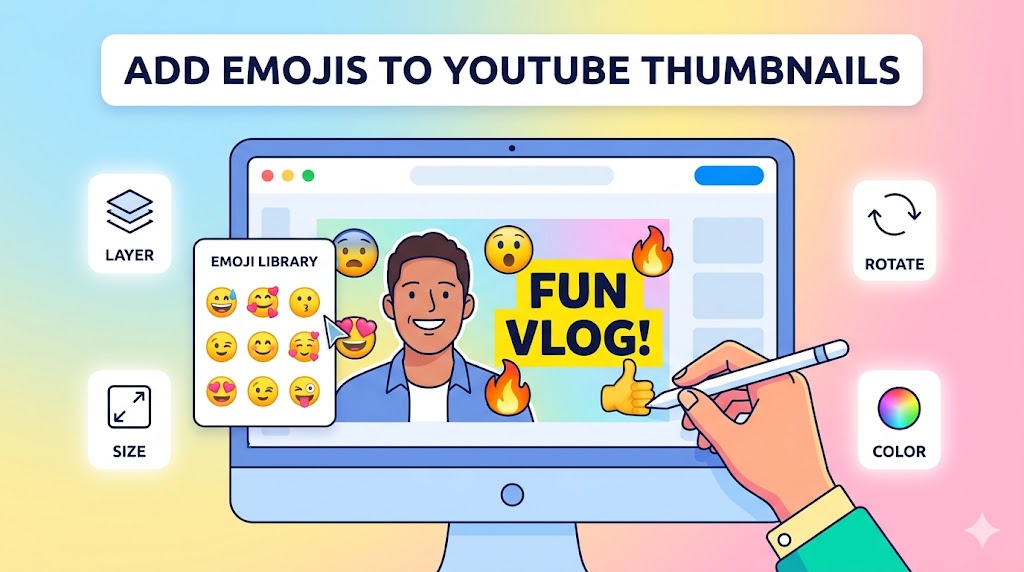
Learning how to add emojis to YouTube thumbnails can instantly make your videos more eye-catching and engaging. Emojis help communicate emotion, excitement, surprise, and humor in a way that viewers recognize immediately. In crowded YouTube feeds, even small visual elements like emojis and stickers can improve click-through rates and attract more attention.
This guide explains the best ways to add emojis to YouTube thumbnails, use stickers effectively, improve overall youtube thumbnail design, and create thumbnails that stand out on both desktop and mobile devices. You will also learn important youtube thumbnail tips for balancing emojis with readable text and strong visual hierarchy.
Why Creators Add Emojis to YouTube Thumbnails
Many successful YouTubers add emojis to YouTube thumbnails because emojis instantly communicate emotion and create stronger visual engagement. Emojis can make thumbnails feel more expressive, playful, and relatable.
Benefits of using emojis include:
- Improved visual attention
- Stronger emotional communication
- Higher click-through rates
- Better mobile visibility
- Enhanced visual storytelling
Since viewers often decide within seconds whether to click a video, emojis can help your thumbnail stand out quickly.
Best Tools to Add Emojis to YouTube Thumbnails
Canva
Canva is one of the easiest tools for creators who want to add emojis to YouTube thumbnails. It includes built-in emoji libraries, sticker packs, and drag-and-drop editing features.
With Canva, you can:
- Insert emojis instantly
- Resize emoji graphics
- Add shadows and outlines
- Combine stickers with text
- Create layered thumbnail designs
Photoshop
Photoshop provides advanced customization for creators who want professional-level youtube thumbnail design. You can import PNG emoji files, apply glow effects, and create custom compositions.
Figma
Figma is another excellent option for creators who want flexible design controls while adding emoji graphics and stickers to thumbnails.
How to Add Emojis to YouTube Thumbnails Effectively
Use Emojis That Match Video Emotion
One of the most important youtube thumbnail tips is choosing emojis that match the mood of your video.
For example:
- 😱 Shock or surprise
- 🔥 Excitement or trending content
- 😂 Funny moments
- 💰 Money-related videos
- 🚫 Warnings or mistakes
When you add emojis to YouTube thumbnails, emotional consistency helps viewers understand the content instantly.
Tip: Use emojis that reinforce the video topic instead of random decorations that may confuse viewers.
Keep Emoji Placement Balanced
Good emoji placement improves visual hierarchy. Successful creators who add emojis to YouTube thumbnails usually position emojis near text or key visual elements.
Effective placements include:
- Next to important words
- Near facial expressions
- Pointing toward focal objects
- Supporting arrows or highlights
Balanced layouts help thumbnails remain clean and professional.
Use High-Quality Emoji Graphics
Low-resolution emojis can reduce thumbnail quality. Always use sharp PNG graphics or vector icons whenever possible.
Professional creators often:
- Add outlines around emojis
- Apply glow effects
- Use drop shadows
- Match emoji colors with branding
Add Stickers YouTube Thumbnails Creators Use
Why Stickers Improve Thumbnail Engagement
Many creators also add stickers YouTube thumbnails because stickers create movement, emphasis, and visual excitement.
Popular sticker elements include:
- Arrows
- Circles
- Explosion graphics
- Speech bubbles
- Glow effects
These visual elements guide viewer attention and highlight important parts of the thumbnail.
Combine Emojis With Stickers Carefully
When you add emojis to YouTube thumbnails, avoid overloading the design with too many stickers or effects.
A balanced thumbnail usually includes:
- One focal subject
- Limited emoji usage
- Simple supporting stickers
- Readable text
Special Attention: Too many stickers and emojis can make thumbnails look cluttered and reduce click-through rates.
YouTube Thumbnail Design Tips for Emoji-Based Thumbnails
Use Bold and Clickable Text
Strong typography remains essential even when you add emojis to YouTube thumbnails. Emojis should support the message, not replace readable text completely.
Good clickable text YouTube thumbnails often include:
- Short phrases
- Bold fonts
- High-contrast colors
- Clear emotional messaging
Examples:
- “BIG UPDATE 😱”
- “DON’T BUY THIS 🚫”
- “BEST SETTINGS 🔥”
- “I WAS WRONG 😳”
Choose Strong Color Contrast
Color contrast is a critical part of effective youtube thumbnail design. Bright emojis against dark backgrounds usually perform better because they stand out more clearly.
Popular contrast combinations include:
- Yellow and black
- White and red
- Blue and orange
- Green and dark gray
Optimize for Mobile Devices
Most YouTube traffic comes from smartphones. Creators who successfully add emojis to YouTube thumbnails always preview thumbnails at smaller sizes before uploading.
Mobile optimization helps ensure:
- Text remains readable
- Emojis stay visible
- Layouts remain clear
- Important elements are recognizable
Using ThumbnailGet.com for Thumbnail Inspiration
Study Trending Emoji Thumbnail Styles
One of the best ways to improve your thumbnails is by analyzing successful creators in your niche. Many YouTubers use
:contentReference[oaicite:0]{index=0}
to download and study trending thumbnails.
Using
:contentReference[oaicite:1]{index=1},
you can:
- Analyze emoji placement
- Study sticker combinations
- Observe trending thumbnail layouts
- Research color strategies
- Improve your thumbnail inspiration
Tip: Save examples of high-performing thumbnails that use emojis effectively and identify recurring visual patterns.
Common Mistakes When You Add Emojis to YouTube Thumbnails
Using Too Many Emojis
Overusing emojis can make thumbnails appear unprofessional or chaotic. Most successful thumbnails use only one to three emojis maximum.
Ignoring Thumbnail Simplicity
A cluttered thumbnail reduces readability and weakens visual hierarchy.
Using Irrelevant Emojis
Random emojis may confuse viewers if they do not match the video topic or emotional tone.
Weak Text Visibility
Even when you add emojis to YouTube thumbnails, text should remain the primary communication tool.
Warning: Avoid relying entirely on emojis to explain your thumbnail message. Clear text still improves viewer understanding.
Advanced Strategies for Clickable Text YouTube Thumbnails
Combine Emotion With Curiosity
The best thumbnails combine emotional visuals with curiosity-driven text.
Examples:
- “This Changed Everything 😱”
- “I Tried This for 30 Days 🔥”
- “Huge Mistake 🚫”
Use Visual Directional Elements
Arrows, circles, and highlighted effects work extremely well alongside emojis because they guide viewer attention naturally.
Build Consistent Branding
Consistent emoji styles, fonts, and colors help viewers recognize your videos instantly.
Final Thoughts on How to Add Emojis to YouTube Thumbnails
Learning how to add emojis to YouTube thumbnails can significantly improve thumbnail engagement, emotional impact, and click-through rates. Emojis and stickers help thumbnails stand out visually while supporting storytelling and viewer curiosity.
By following proven YouTube thumbnail tips, using balanced layouts, and maintaining strong youtube thumbnail design, creators can build more engaging and clickable thumbnails across all content categories.
To study trending thumbnail styles and improve your creative inspiration, visit
:contentReference[oaicite:2]{index=2}
and explore successful YouTube thumbnails used by popular creators.