Your thumbnail is often the first thing viewers notice before clicking a video. A strong thumbnail can improve click-through rates, boost visibility, and strengthen your channel branding. That’s why learning how to add custom thumbnail youtube videos properly is essential for creators of all sizes. In this guide, you’ll learn everything you need to know to add custom thumbnail youtube content effectively, including settings, editing options, and optimization tips.
Why It’s Important to Add Custom Thumbnail YouTube Videos
When creators add custom thumbnail youtube videos, they gain more control over how their content appears in search results, recommendations, and subscriptions.
Benefits of Custom Thumbnails
- Higher click-through rates
- Stronger branding
- Better audience engagement
- Professional appearance
- Improved discoverability
Creators who consistently add custom thumbnail youtube videos often build stronger visual recognition over time.
Tip: A compelling thumbnail can make viewers choose your video over competing content.
YouTube Thumbnail Settings You Must Enable
Before you can add custom thumbnail youtube videos, your account must meet YouTube’s thumbnail requirements.
Verify Your YouTube Account
YouTube requires phone verification before enabling custom thumbnails.
How to Verify
- Go to YouTube Studio.
- Open Settings.
- Select Channel.
- Complete phone verification.
Once verified, your youtube thumbnail settings will allow custom uploads.
How to Upload Custom Thumbnail YouTube Videos
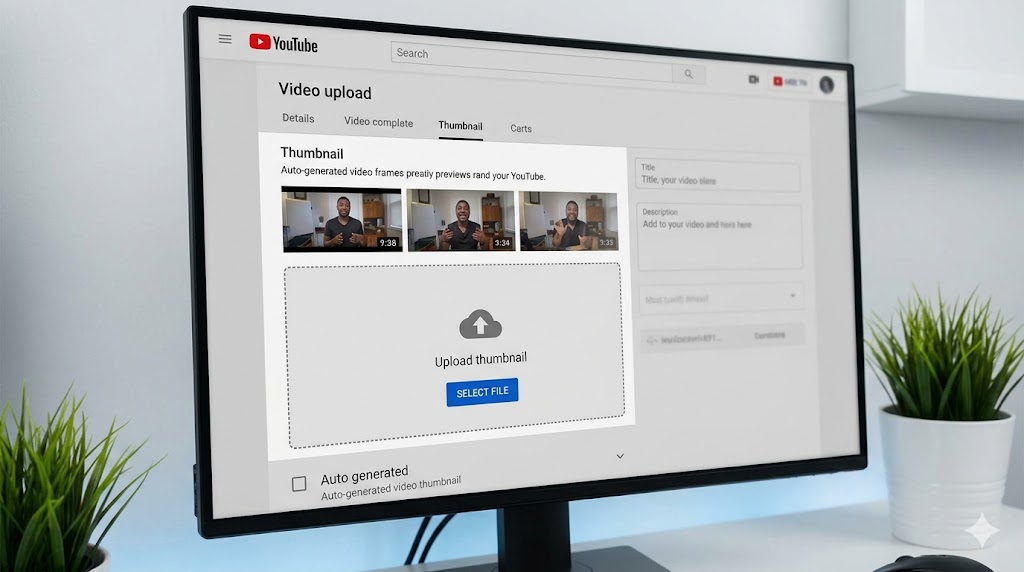
The process to upload custom thumbnail youtube videos is straightforward.
Step-by-Step Guide
- Open YouTube Studio.
- Click Content.
- Select your video.
- Locate the Thumbnail section.
- Click Upload Thumbnail.
- Select your image file.
- Save changes.
This simple process allows creators to add custom thumbnail youtube content in minutes.
Best Thumbnail Specifications
To successfully add custom thumbnail youtube videos, your image should follow YouTube’s recommended settings.
Recommended Size
- 1280 x 720 pixels
- 16:9 aspect ratio
Supported Formats
- JPG
- PNG
- GIF
Maximum File Size
Keep files under 2MB.
Following these guidelines ensures your efforts to add custom thumbnail youtube videos produce professional results.
Special Attention: Avoid blurry or low-resolution images when you add custom thumbnail youtube videos.
Change YouTube Thumbnail After Upload
Many creators wonder if they can change youtube thumbnail after upload. The answer is yes.
How to Edit Existing Videos
- Open YouTube Studio.
- Select the uploaded video.
- Click Thumbnail.
- Upload a new image.
- Save the update.
This flexibility allows creators to test different visuals after they add custom thumbnail youtube content.
Edit YouTube Thumbnail for Better Performance
Sometimes a thumbnail underperforms and needs improvement. Learning how to edit youtube thumbnail designs can increase clicks and engagement.
Improve Text Readability
Use larger fonts and stronger contrast.
Highlight Faces
Human expressions often attract attention.
Use Bright Colors
High contrast visuals stand out in search results.
Reduce Clutter
Too many elements can confuse viewers.
These techniques help creators optimize when they add custom thumbnail youtube videos.
Common Mistakes When Adding Custom Thumbnails
Using Too Much Text
Short, bold wording works best.
Ignoring Mobile Users
Most viewers watch on smaller screens.
Low-Quality Images
Blurry visuals reduce professionalism.
Misleading Clickbait
Thumbnails should accurately represent the video.
Avoiding these issues improves results when you add custom thumbnail youtube videos.
How Thumbnail Research Helps Creators
Studying successful thumbnails is one of the best ways to improve your own designs.
Analyze Competitor Designs
Look at color schemes, text placement, and facial expressions.
Build Inspiration Libraries
Save thumbnails for future reference.
You can use thumbnailget.com to collect public thumbnails for inspiration and research. This helps creators improve their strategy before they add custom thumbnail youtube videos.
Tip: Save examples of high-performing thumbnails to identify design patterns in your niche.
Best Practices for Thumbnail Branding
Use Consistent Fonts
Repeat typography styles across videos.
Choose Brand Colors
Consistent color palettes improve recognition.
Add Visual Identity
Logos and repeated design styles strengthen branding.
Consistency is important when creators regularly add custom thumbnail youtube content.
Testing and Improving Thumbnail Performance
After you add custom thumbnail youtube videos, monitor performance metrics.
Watch Click-Through Rates
Low CTR may indicate thumbnail issues.
Experiment with Designs
Test different colors, layouts, and text styles.
Review Audience Behavior
Understand what attracts viewers in your niche.
Continuous testing helps improve results every time you add custom thumbnail youtube videos.
Conclusion
Learning how to add custom thumbnail youtube videos is one of the most important skills for growing a successful channel. From enabling youtube thumbnail settings to understanding how to change youtube thumbnail after upload, every step helps improve your visual branding and audience engagement. By creating strong designs, testing performance, and studying successful examples with tools like thumbnailget.com, creators can consistently improve their thumbnails and attract more viewers. Mastering how to add custom thumbnail youtube content effectively gives your channel a major competitive advantage.